


Import/Export Center
This article explains how to use the Import/Export Center in Safety Management Suite to manage Company, Chemical, and Incident data. Users access the center from the drop-down menu in the upper right corner and can select various data types to import or export, including locations, employees, work areas, job titles, equipment, and shifts for company data. For chemical management, users can handle chemical products, SDS files, associations, and usage data. Incident-related imports include physicians, healthcare facilities, body parts, injury causes, injury/illness types, event locations, and incident records. This tool centralizes data management, allowing users to efficiently update or retrieve large datasets for operational and compliance purposes.
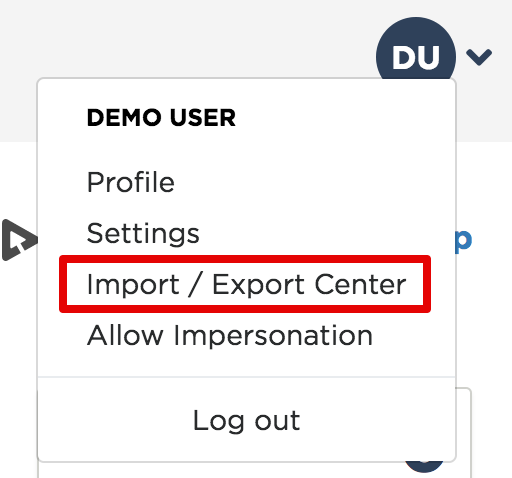
The Import/Export Center is located in the drop-down menu in the upper right hand corner; select Import/Export Center.
Select the data you would like to import or export below!
- Locations
- Employees
- Work Areas
- Job Titles
- Cost Center
- Equipment
- Shifts
- Chemical Products
- SDS (Staged Files)
- SDS File/Product Association
- Company Usage
- Chemical Identifier
- Physicians/Healthcare Professionals
- Healthcare Facilities
- Body Parts
- Injury Causes
- Injury Illness Type
- Where Events Occurred
- Incident Records
- Tank Management
- Hazardous Waste Accumulation
- Environmental Incidents
- Annual Tier II Reporting Information