


Log Edits View
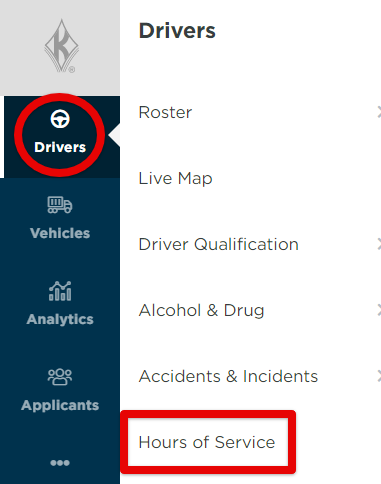
This article explains how to view Drivers with edited logs in Encompass®. Navigate to Drivers > Hours of Service, then select the With Edits tab to see a list of Drivers who have log edits. For more detailed information about a Driver’s log edits, click the arrow next to the Driver’s name to expand the details.
Steps
First go to Drivers > Hours of Service.
Next, click on the With Edits tab.

The list of drivers with Log Edits will show. To view more details about the drivers' log edits, click the arrow next to the drivers name to expand the details.
