Performance Management Reports and Forms
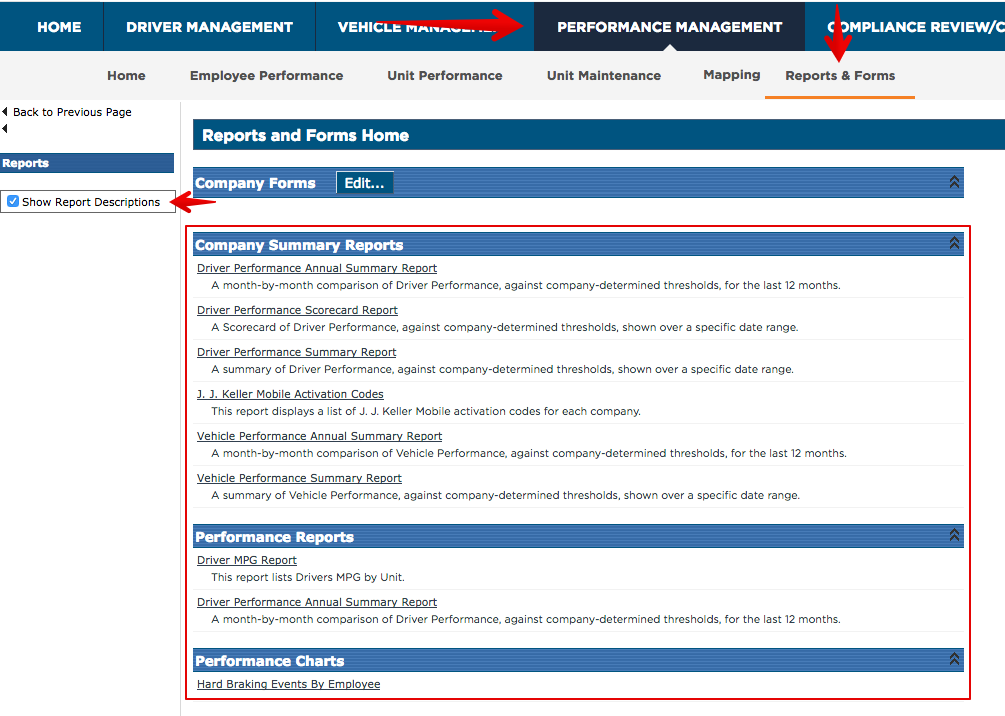
This article explains how to access and view Performance Management Reports in Encompass. Users can navigate to Performance Management > Reports & Forms, where reports are organized under Company Summary Reports and Performance Reports. To understand the content of each Report, users can enable Show Report Descriptions, which provides a brief summary of the information contained in each Report. This feature helps users quickly identify and select the Reports relevant to their needs for monitoring employee or fleet performance.
To start, Go to Performance Management > Reports & Forms.
The reports regarding Performance Management are going to be found in the left column under the Company Summary Reports and Performance Reports sections. To see which information each report can provide, you can get a description of the reports by checking the box to the left for Show Report Descriptions.