Unit Rules
Unit Rules
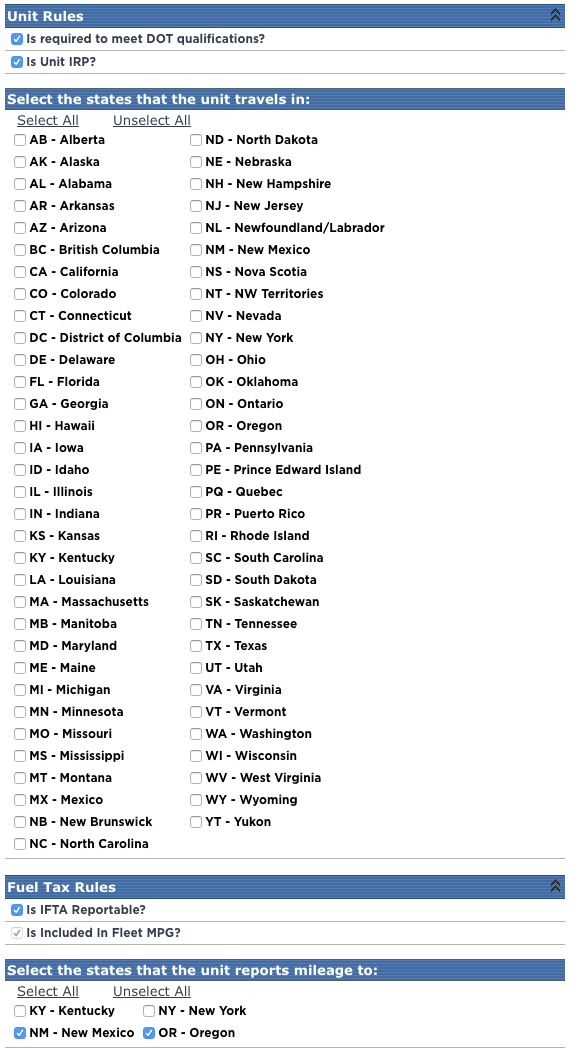
Select the check boxes if the units (or majority of units) are required to meet DOT qualification and IRP standards.
Select the states that the units travel in
Select the check boxes in which the units drive in.
Fuel Tax Rules
If all vehicles of the appropriate vehicle types should be included in IFTA reporting, this Is IFTA Reportable box should be checked. Additionally, the vehicles that are IFTA reportable should be included in Fleet MPG. Therefore, either both boxes should be checked, or neither.
Select the states that the unit reports mileage to
If any vehicles in the fleet travel through Kentucky, New York, New Mexico, or Oregon, then the respective check boxes should be selected under the header Select the states that the unit reports mileage to. This is due to the requirement to submit a mileage form separate from IFTA to those states.