


Expert Help
The Expert Help tool in Leave Manager enables users to submit questions/requests directly to J. J. Keller® industry compliance experts and receive professional guidance. It can be accessed from the Dashboard’s Contact an Expert link or through the dropdown menu next to the user’s name. Users can submit new requests by providing relevant details and can review past inquiries via the My Request History section.
To access Expert Help, you can either scroll down on the Dashboard and click Contact an Expert, or click Expert Help in the dropdown next to your name in the upper right corner.


Submit a Request
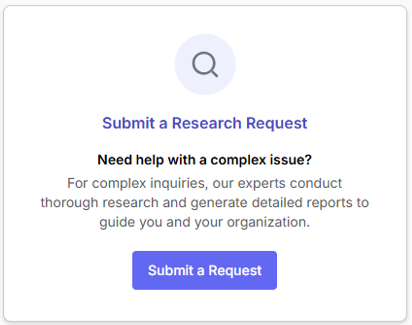
If you access Expert Help from the Dashboard, click the Request Type you're looking for (Message, Call/Video Meeting, or Research Request).

If you access Expert Help from the dropdown in the upper right corner, click Submit a Request.

Enter the information needed for your Request including Request Type, Subject, Topic, State/Province, details of the Request, and Attachments if necessary. Click Submit when finished.

Understanding Request Types
There are 3 Request Types available to connect with our safety and compliance experts to get the support you need.
- Message an Expert (Email Requests): Submit a regulatory or compliance question and receive a response via email from a J. J. Keller expert. This is the fastest option for straightforward questions or clarifications. Response time is typically within 1 business day.


- Schedule a Call/Video Meeting (Phone Requests): Set up a one-on-one session with an expert by phone or video. This option is ideal if you need to walk through a situation, ask follow-up questions, or discuss more complex topics.


- Submit a Research Request (Research Requests): Request in-depth research on a specific topic. An expert will review your request and provide a detailed response with guidance tailored to your situation.

Request History
To view a history of questions you have asked, click View Your Message History or My Request History.

