


How to Use Personal Conveyance
This article outlines how Personal Conveyance (PC) in Encompass® ELD allows drivers to operate a commercial motor vehicle without the time counting against their driving limits. Company policy determines PC availability, which must be enabled in Encompass and can be verified in the app under Menu > System Menu > Records > Employee Rules. To use PC, drivers must be in Off Duty status, toggle on Authorized personal use of CMV, and optionally add an annotation or log remark. While in PC mode, driving time does not appear on clocks, and status shows as Off-Duty – PC. Logging out of PC is done by changing duty status, and upon engine restart, the ELD will prompt the driver to confirm continuation of PC; failing to confirm defaults the next movement to driving. PC rules follow 49 CFR Part 395, Appendix A, section 4.3.2.2.2(e) regarding power cycles and driver confirmations.
Logging Into Personal Conveyance
A driver can log into personal conveyance when they change their duty status to Off Duty. Tap on the current duty status in the green navigation bar. (Or, select New Status from the Menu (three stacked lines) in the upper right.
 OR
OR 

Select the Off-Duty status. Slide the toggle on for Authorized personal use of CMV? and include an Annotation. (See Suggested ELD Annotations.) Enter a Log Remark, if desired (it is optional.) Tap OK.
| ANDROID™ | IPHONE®/IPAD® |
|---|---|
 |
 |
The home screen will now display the new status as Off-Duty - PC.
 OR
OR

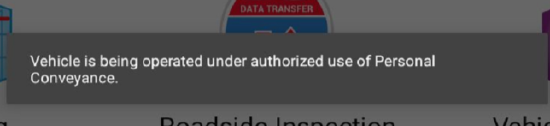
When the vehicle begins moving while in Personal Conveyance, the clocks will not display. Instead, the driver will see the following alert:
Logging Out of Personal Conveyance
The driver can simply change their duty status to log out of Personal Conveyance.
On the home screen, a driver can tap on the Off-Duty - PC duty status in the green navigation bar. Select the new duty status and tap OK.


To meet regulatory requirements, if the driver turns off the vehicle and turns it back on, they will receive a prompt after a few moments:

- Selecting Yes will cause the next truck movement to show as driving on the log.
- Selecting No will cause the next truck movement to show as personal conveyance.
- Doing nothing or ignoring the prompt will cause the next truck movement to show as driving on the log. Any automatically recorded driving events are unable to be edited.
The applicable rule for PC (and Yard Move) is in 49 CFR Part 395, Appendix A, section 4.3.2.2.2., "Driver’s Indication of Situations Impacting Driving Time Recording." Within that section, paragraph (e) addresses the power cycle (note that "special driving situation" is referring to yard moves and personal conveyance):
(e) A driver’s indication of special driving situation must reset to none if the ELD or CMV’s engine goes through a power off cycle (ELD or CMV’s engine turns off and then on) except if the driver has indicated authorized personal use of CMV. If the driver has indicated authorized personal use of the CMV, the ELD must require confirmation of continuation of the authorized personal use of CMV condition by the driver. If not confirmed by the driver and the vehicle is in motion, the ELD must default to none.