


Duty Status Bar
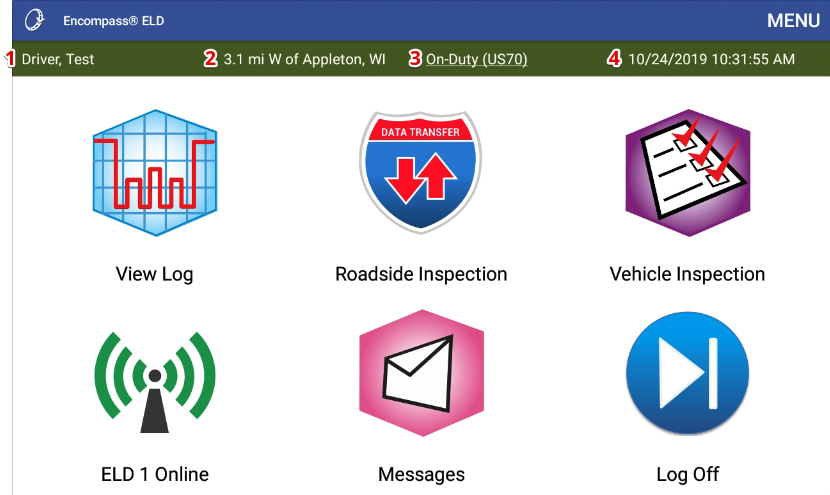
The Duty Status Bar, located in the green navigation bar at the top of the Encompass® ELD application, displays 4 key details: Driver Name, Location, Duty Status, and Date/Time. Each element functions as a quick link that can be tapped for edits. Drivers can switch responsibility (team/shared devices) by tapping the name, view or adjust the location where the duty status began, change duty status directly, and see/edit the start date/time of the current duty status. When connected to the ELD, location is auto-generated.
Duty Status Bar Components
 OR
OR

- The responsible driver: Team drivers and drivers who share devices can switch responsibility by tapping on the name.
- Location: This is the location in which the listed duty status began in. If connected to the ELD, the location will be automatically generated.
- Duty Status: Current duty status is listed here and a driver can change to a new duty status by tapping the current status.
- Date and Time: This shows the starting date and time of the current duty status (3).