


Download the Encompass® ELD Application
This article provides information on the average monthly data usage for the Encompass® ELD mobile application, which varies by Driver Profile—approximately 30MB for Advanced Drivers and 75MB for Premium ELD users. Data consumption can be affected by usage frequency, the number of Drivers per device, fuel tax features, and GPS tracking. The guide also includes step-by-step instructions for installing the Encompass® ELD app on Android™ and iPhone®/iPad® devices through their respective app stores. After installation, users can launch the app directly from their device.
Quick Note About Data Usage
Data usage of the Encompass® ELD application on mobile devices can vary depending on how the application is used. Below are the average amounts of data used by the two ELD driver profiles:
Advanced Driver - Approximately 30MB per month
Premium - ELD - Approximately 75MB per month
These numbers may fluctuate and are influenced by several factors:
- How often the app is used (daily, etc)
- How many drivers use the app on a given device (multiple drivers per day?)
- If you use fuel tax
- If you have GPS tracking
Installing the Encompass® ELD application on the mobile device takes a few seconds. The instructions below walk through Android™ and iPhone®/iPad® app installation.
ANDROID™
Tap on the Google Play Store Icon.

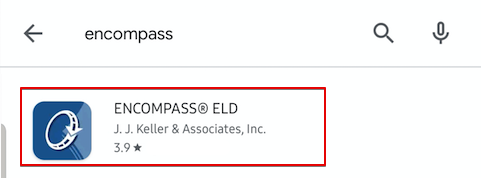
In the search bar at the top, type in Encompass. Click on the Encompass® ELD app in the search results.
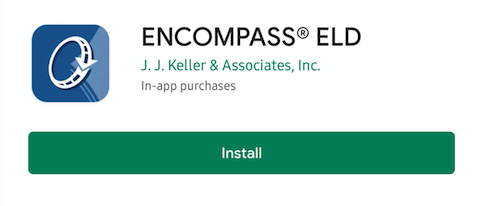
Tap on Install and Accept any terms and conditions.
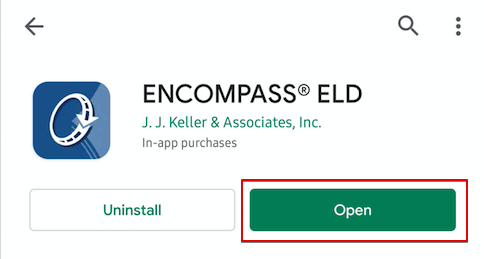
Once the application is successfully downloaded, tap on Open to launch Encompass® ELD.
IPHONE®/IPAD®
Tap the App Store icon on your device.

Select Search in the lower right-hand corner. Type Encompass ELD in the search bar.

Locate the ELD application and tap Get. The app installation will begin.

Once the application is successfully downloaded, tap Open to launch Encompass® ELD.
