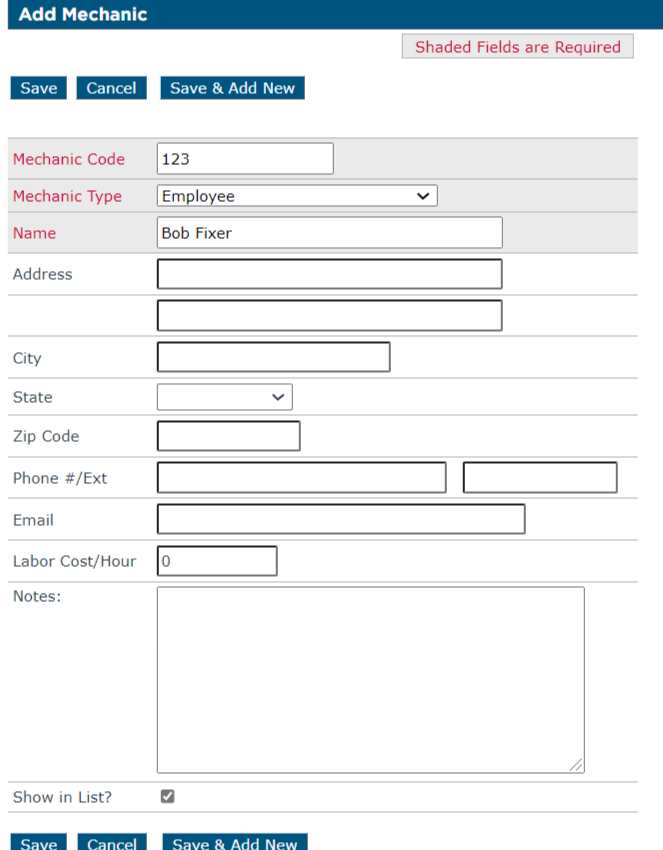
Adding a Mechanic
This article explains how to add Mechanics in Encompass®, which is useful for associating Mechanics with Repair Orders and other Maintenance Records. To add a Mechanic, navigate to Vehicle Maintenance > Setup > Maintain Unit Maintenance Info > Mechanic. From there, click Add Mechanic, enter the required information, and optionally include additional details. Users can choose Save to return to the Mechanic List or Save & Add New to enter another Mechanic. This process ensures accurate tracking of Mechanics for maintenance and repair activities.
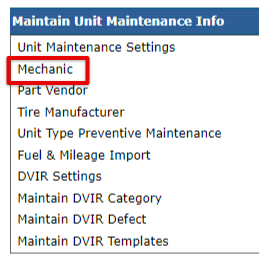
To add a Mechanic, go to Vehicle Maintenence > Setup > Maintain Unit Maintenance Info > Mechanic.

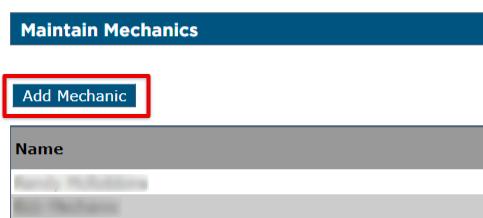
Click Add Mechanic.
Enter in the required fields and add other information as desired. Click Save to save the information and return to the Mechanics section, or click Save & Add New to add another Mechanic.