Unlock Your VideoProtects Account
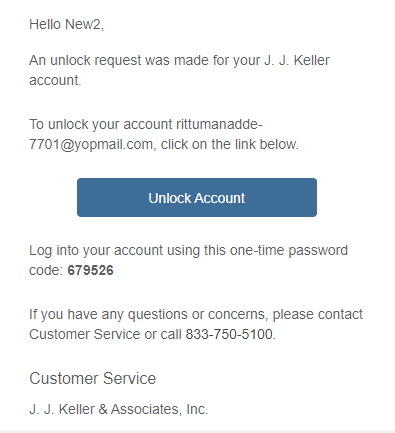
After 5 failed login attempts, your VideoProtects® Fleet Management System account will be automatically locked. To unlock it, request a Verification Email and either click the "Unlock Account" button within the email or enter the provided code on the site. Once unlocked, you can log back in, or if you have forgotten your password, follow the password reset process to regain access.
This guidance is for VideoProtects, located at this website: https://app.videoprotects.com/
To unlock your account, select Send Verification Email.


Once you receive the email, you can either click the Unlock Account button OR use the code provided and enter it in the site.

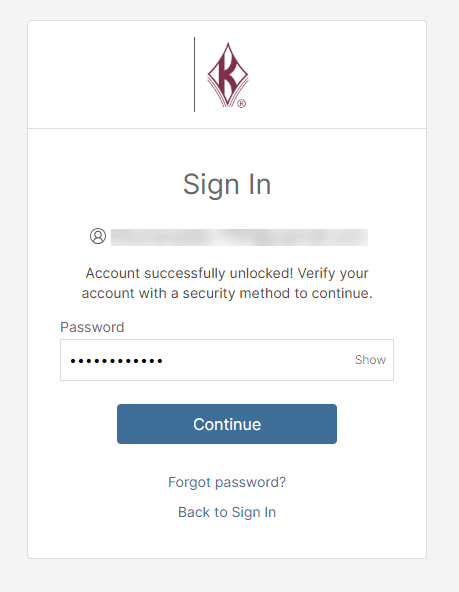
You will receive a notice that your account is unlocked. If you do not remember your password, select Forgot password? and follow the on-screen prompts to reset your password. Or, see Reset Your Password for more information.