


Adding Favorite Courses
You have the ability in Safety Management Suite to "favorite" courses to have easy access to those courses for future use!
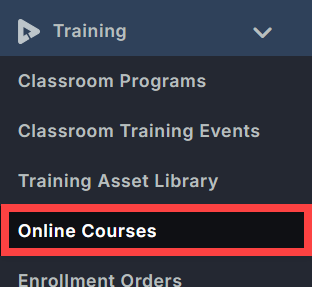
To start, click the Training dropdown from the menu on the left side. Then click Online Courses.
Click on the white box under Title for the search screen to come up.

Type in the name of the Online Course you're searching for. (Example: Forklift Training)

Place a checkmark in the box in front of the Online Course Name.

Type in the next Online Course Name you're searching for where you'll see your cursor blinking (right hand side of the previous Online Course search) and place a checkmark. Repeat these steps as needed for all the Online Courses.


When complete, click on the gear icon on the right hand side. Click on Save a New View.

Enter the View Name and click Save.

To access this View, you'll go to Training > Online Courses > Saved Views, then click on the name of the View.
