Tier II Reporting
The Tier II Reference feature provides you helpful information and guidance for understanding and complying with Tier II Reporting. The reference content includes Fact Files, Forms, Charts, and How to Guides.

Tier II submissions must include:
- Facility details
- Certification by facility owner or operator
- Chemical descriptions (including EHS constituents of mixtures)
- Physical/health hazards
- Maximum & average daily amounts on-site
- Storage Types, Conditions, and Locations
- Additional information verifying reporting status
SMS can help you maintain this information using existing, updated, and new features. The output of this tracking will generate a supporting document for each chemical to support your online submission of the Tier II Report.
Step 1 - Update your location records
- Complete the EPA Information Section for each of your Locations. This section is covered in the Locations documentation.
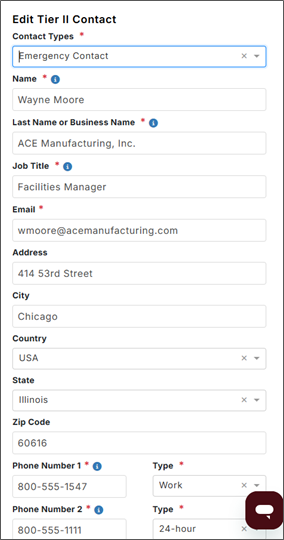
- Add your Tier II Contacts for each Location. Here you will select the Contact Type, then enter Address and Contact Information for each Contact.

Step 2 - Add the annual tier II Reporting Information in your chemical product list
Here we collect the Year, Location, Days on Site, Amounts, and Storage Conditions. This information needs to be added annually for each hazardous chemical in your Product List. Visit the Import/Export Center for a template for importing your product and Tier II information.


Step 3 - Track your hazardous chemicals exceeding the reporting thresholds
Reporting thresholds are as follows:
- A pure chemical or mixture that does not contain an Extremely Hazardous Substance (EHS) to be equal to or greater than 10,000 lbs.
- A pure chemical or mixture that does contain an Extremely Hazardous Substance (EHS) to be equal to or greater than 500 OR the Lower TPQ value for the EHS.

Inclusion of chemicals and ingredients in the Tier II feature is driven by SDSs sourced by J. J. Keller only. Pure chemicals and mixtures are determined as follows:
- A pure chemical will be any product where the Primary SDS record (or most recent JJKA sourced SDS record if the primary SDS is customer uploaded) contains a single ingredient, and where that ingredient has a max value of 100%. When the volume of this product exceeds the threshold for a single Location, the pure chemical appears in the Tier II grid as a Pure Chemical with its CAS No and the amount will be reported out as a maximum amount range code as allowed by EPCRA under §370.43.
- A mixture will be any product where the Primary SDS record (or most recent JJKA sourced SDS record if the primary SDS is customer uploaded) contains multiple ingredients. The weight for a mixture is calculated by multiplying the ingredient max percent value and the maximum amount for that product. Ex., ingredient is 42% of the product and the total amount for the product is 5000 lbs. This ingredient weight would be calculated as 2100 lbs. If the aggregate of that ingredient at a single Location exceeds the threshold, each mixture will appear in the grid. The amount will be reported out as a maximum amount range code as allowed by EPCRA under §370.43.
Step 4 - Print your tier II output
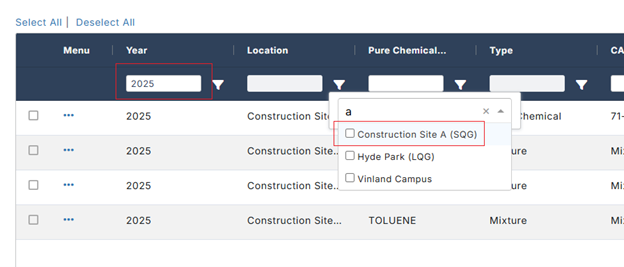
First, filter your list by Location and Year (if necessary).
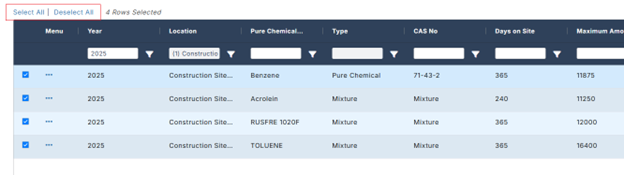
Next, select the chemicals you want to output. You can select one-by-one or use the Select All function above the grid.
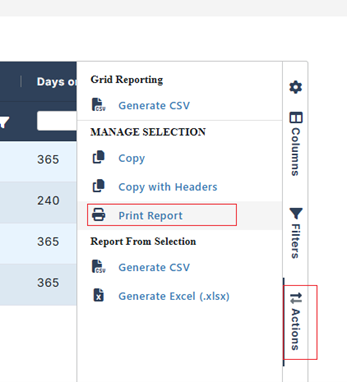
Finally, select Print Report from the Actions panel. The output for this feature is in PDF format with a page break between each chemical product. You can use this output to support the completion of your online Tier II Report submission.