


Environmental Programs
The Environmental Program Setup wizard will walk you through 11 different EPA Agency Requirements covering requirements such as Reporting, Monitoring, Registration, Permitting, and Training. Once your Programs are complete, critical Recurring Dates and Reminders will be added to your Compliance Calendar.
*Note: If you have multiple Locations, each Location will have its own Program.
To add a Program, click Add Program.

Select your Location and then select each of the Programs you need to manage for that Location. Once done, click Save: Environmental Profile.
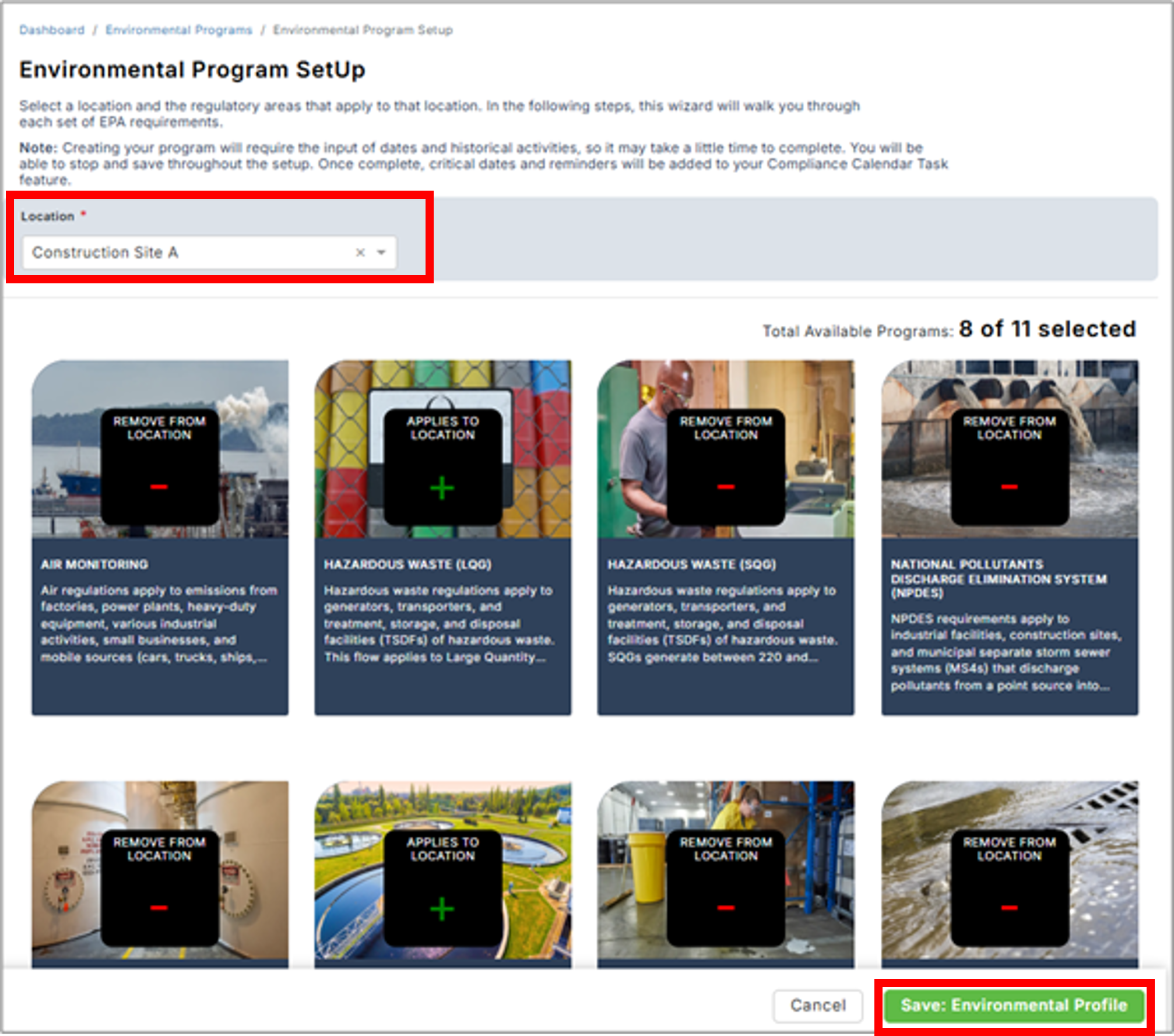
In the next steps, each Program wizard will walk you through the requirements for each of the EPA Programs you selected. Some programs are short while others can be longer. Note: Creating your Program will require the input of dates and historical activities, so it may take a little time to complete. You will be able to stop and save throughout the setup.
Each Program will display a Status to allow you to quickly determine which programs are complete, in progress, or not started.

Each Program wizard asks a series of questions as to whether your operations are subject and if yes, captures Due Dates for coming action items. Once complete, critical Due Dates and Reminders will be added to your Compliance Calendar Task feature and will generate Alerts ahead of the Due Date. Alert timeframe depends upon the task, but most are 30 days ahead of the Due Date. Each Program wizard will indicate steps, so you always know how far you are in completing the Program.

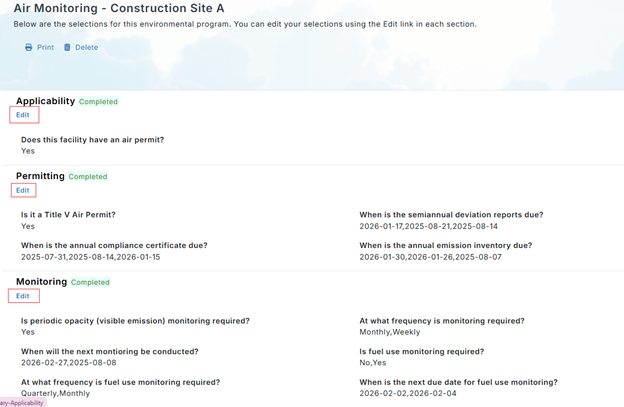
Once your Program is complete, you will have a summary of all your selections and upcoming tasks. You can go back and update your Program if a Location’s Environmental Requirements change. Once the Program is set, you are done, and the Program setup will do the rest by generating recurring tasks into the future.
If you're setting up Environmental Programs for multiple Locations, you will have the ability to copy one Location Program to another. Instead of selecting a Location, click Copy Environmental Programs and select the Locations to copy from, to copy to.
