


Hazmat EDGE in Compliance Network
This article describes the Hazmat EDGE add-on for Compliance Network members, providing premium content on hazardous materials regulations and compliance. Resources include charts, fact files, how-to guides, visual content, regulatory interpretations, and niche topics like hazmat air and water guidance. Users access Hazmat EDGE via the top menu and can click cards to explore detailed content. The add-on also includes an Interactive Hazardous Materials Table (HMT) to assign proper shipping names, identification numbers, and hazard classifications, and to review packaging and handling requirements. Additional HAZMAT resources, such as infographics and RegSense topics, are available to support safe and compliant handling.
To access Edge, click the tab in the menu at the top.

If you have more than one Edge add-on, select the Hazmat Edge tab. Click on a card to open up more information related to Environmental content.
Interactive HAZMAT Table
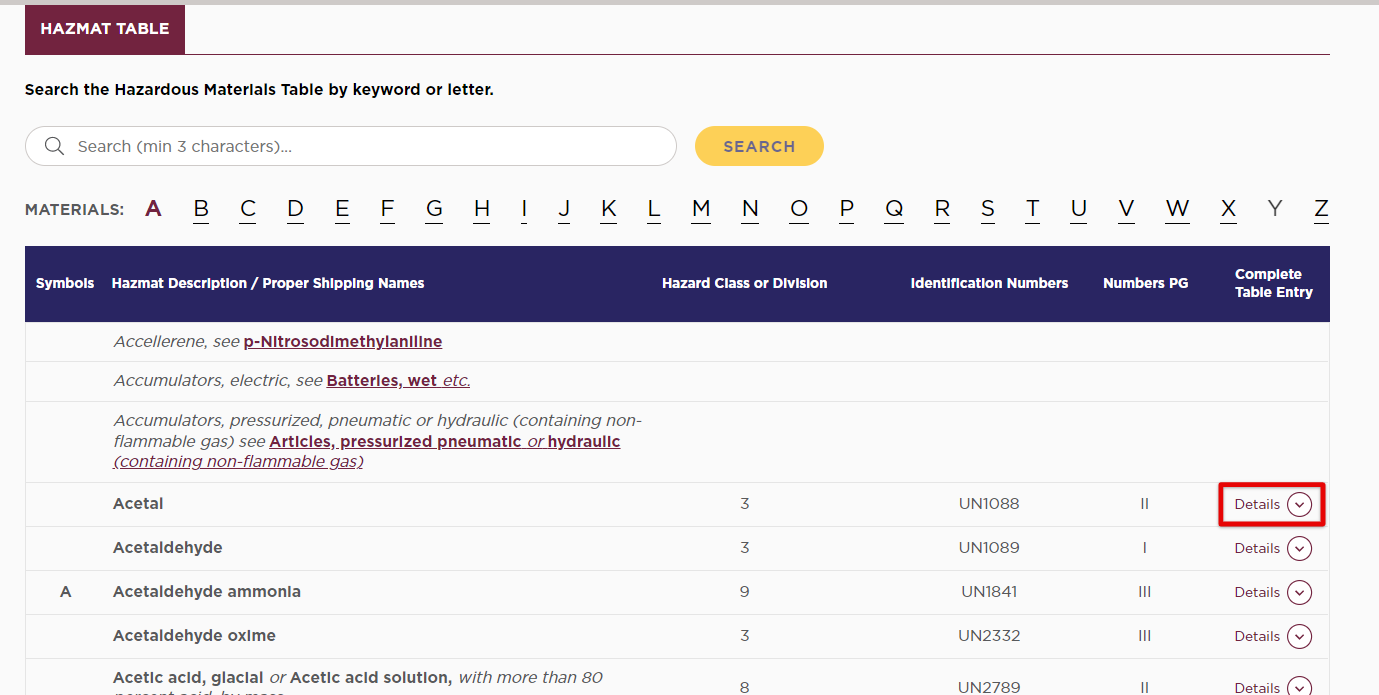
The Hazardous Materials Table (HMT) is the core of the Hazardous Materials Regulations (HMRs). It’s used to assign proper shipping names, identification numbers, and hazard classes and divisions for hazardous materials. The HMT also provides references for packaging and handling requirements for all modes of transportation.
Use this interactive HMT to help prepare your hazmat shipments in accordance with the HMR.

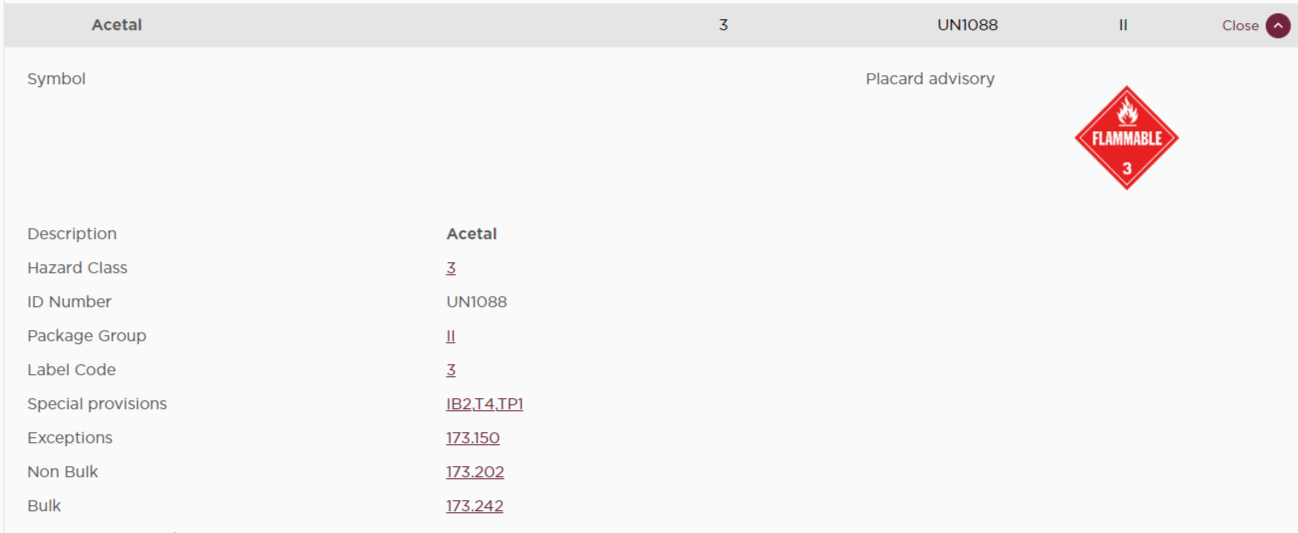
Search the Hazardous Materials Table by keyword, letter, or scrolling through the table. Click Details next to a specific hazardous material to view more information.
HAZMAT Resources
View Charts, Fact Files, How-To Guides, Infographics, Interpretations, and RegSense Topics related to HAZMAT. Click on the various cards to open more information.

